'Cinnamoroll'
HP Pavilion 15-n008tx
Current Status: Working fine
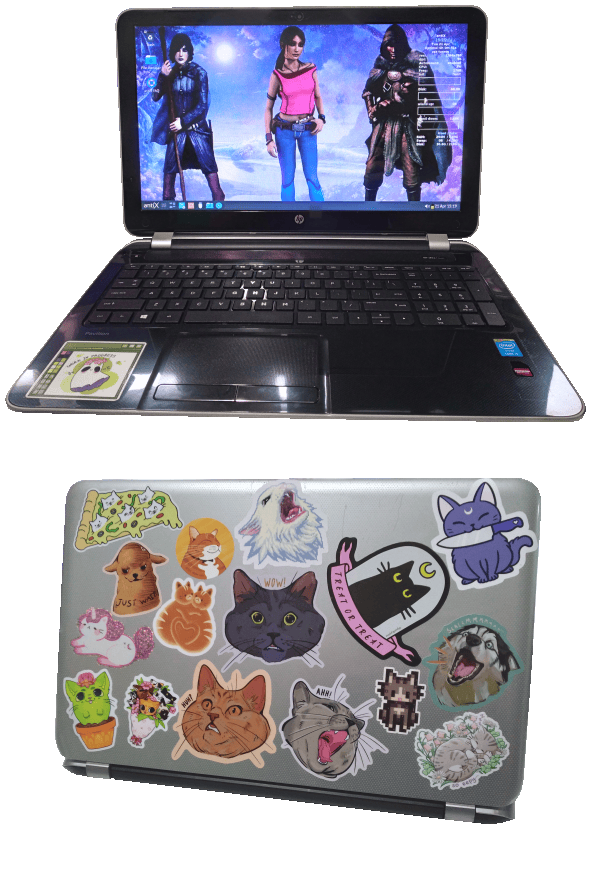
CPU: i5-4200U CPU 1.6GHz x2
GPU: Radeon HD 8670M (?)
RAM: 8GB DDR3 (can take 16GB)
Storage: 240GB Crucial BX500 SSD
Optical: DVD-RW
Current OS: antiX 26 runit + IceWM
Personal History
This was my partner's laptop, bought in 2014 I think. It had worked well for her needs since then, and originally came with Windows 8 (which I never got used to using). We have recently swapped laptops after this started having issues with bluetooth and it's wifi range not being very far (likely the wireless card is on the way out). I don't use any bluetooth stuff, so this works well enough for me. In 2024 I replaced the harddrive with an SSD and it now runs like new.
Likes/Dislikes
I like the way it looks, and it is relatively light and slim. It also still runs well on a light distro like antiX, boots in under 10 seconds. I like having the externally removable battery, but it's needed to be totally replaced two or three times so far. Most repairs on this laptop are easy-moderate difficulty, although once you get into it many parts are sort of loose and only connected by cables. Keyboard is awful; cheap flimsy buttons that breakdown quicker than any laptop I've ever owned. Touchpad and cursor buttons are equally awful; the pad has this texture they feels like dull sandpaper (exfoliating touchpad, lmao) and the buttons need a hard press to work, I usually use a wireless mouse. ALSO this is one of those laptops where the 'manufacturer' releases a few dozen near-identical models with incomprehensible model names/numbers, makes it hard to look up exact manuals and repair guides.
Usage
- General use; web browsing, video playback, image editing, text editing/webmastery, light gaming.
Troubleshooting/Repairs
- Keyboard Breakdown: We had to replace the keyboard within a few years of having this laptop. Certain keys will require harder presses or double pressing, until they eventually breakdown. This is happening again atm, and may need another replacement, another 'capitalism breeds innovation' moment. Luckily the replacement is easy, and spare boards are cheap + readily available.
- USB Boot issue: I don't think this will boot from USB 3.0+ devices at all, now that I have tested a few installs and ISOs out. It does have USB 3.0 ports, but very old ones from when they were called USB 'ss/superspeed'. The solution is to just burn ISOs to USB 2.0 drives.
- Bluetooth isn't working/WiFi range limited: Tbh I don't know when this started happening, I almost never use bluetooth so I never check after installs. But recently trying to connect a keyboard showed the bluetooth daemon won't start and it says it's a hardware fault. I tried several fixes from the Mint forums but nothing worked, so I just swapped laptops with my partner as mentioned above. Since using this as my main laptop, I have noticed that the WiFi will not work from the other side of our apartment (beyond about 5m through one brick wall). It says connected with about 50% signal strength, but no internet functionality.
My solution is just using this closer to the router, and idc about the bluetooth, but digging into it more I found this specific wireless card (Ralink RT 3290) is apparently quite buggy.EDIT: I ended up getting a replacement wireless card (Intel AC 7260HMW) for about $25, and everything worked out of the box with no configuration (it is a highly recommended card for linux).
Resources
- iFixIt.com HP Pavilion 15-n210dx Repair page - not the exact model, but everything is in the same place
- linux-hardware.org Device 'Ralink RT3290 Bluetooth' - Possible fix for the bluetooth issues present with the stock wireless card, links to a driver download with install instructions for Ubuntu and derivitives.
- archie94.github.io 'Ralink RT 3290 bluetooth kernel module for linux' - A more detailed direct install instruction post for the third party Ralink RT3290 Bluetooth driver. Maybe it could work on non Ubuntu systems?